Engineering decisions
One engine, three front ends
All the reasoning lives in one Python engine; the Streamlit app, the 3D school and the MATLAB app only ask it questions, so they can’t disagree. The cost shows up in the browser: instead of re-writing the rules in JavaScript, the 3D school runs the real Python through Pyodide, which adds a few seconds to the first load.
“Not documented” is an answer
Each access check returns yes, no or not documented, and anything unknown makes the result indeterminate, naming exactly what’s missing. Defaulting unknowns to allow or deny would give cleaner output, but it would quietly invent facts about the network.
The brief
This is my research project at UGA’s Multispectral Imagery Lab. The brief: build an offline digital twin of a small school administrative network (a workstation, a few accounts, a file server) with MATLAB, Python and App Designer, and use it to reason about security.
Schools are a reasonable place to start. CISA reports that K-12 districts are frequent ransomware targets, usually with small IT teams and tight budgets, and they hold sensitive student records. Most security digital-twin research targets factories and control systems; a school office is different, because the assets are accounts, permissions and file shares rather than machines and sensors.
The model
The whole school lives in one JSON file: four zones (internet, staff LAN, server VLAN, student Wi-Fi) with firewall rules between them, five devices, eight accounts and three file shares. Each device carries its OS, patch state, services, local admins and cached passwords; each account its groups, MFA, password strength and last sign-in.
Anything I don’t know is written as null, on purpose. Some settings in the example are left undocumented, like a vendor-requested remote-desktop rule nobody wrote down, so the model has to say “I don’t know” instead of guessing.
The access rule
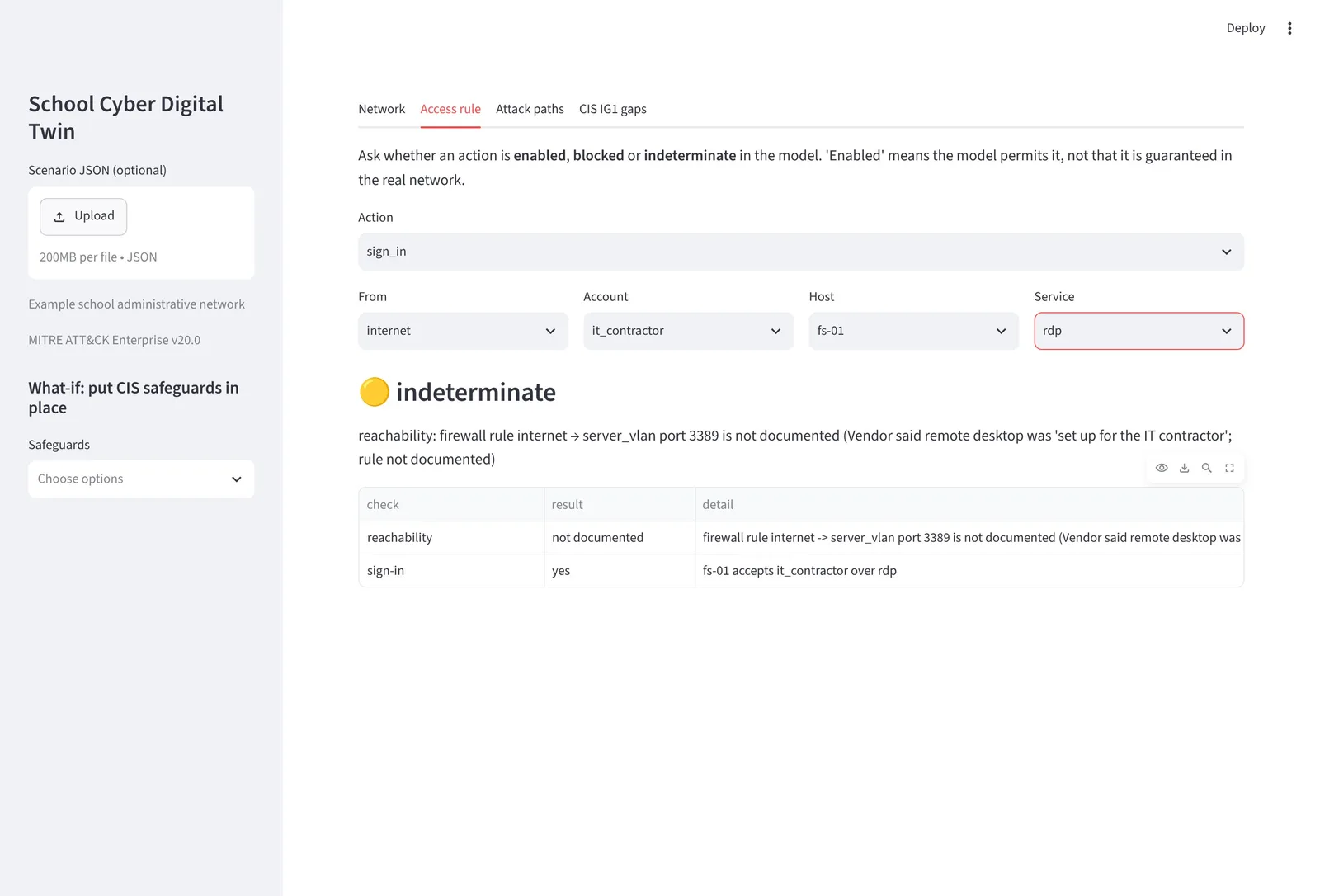
Every question (can this account, from this place, do this action?) is split into three checks, and each answers yes, no or not documented. Any no means blocked, all yes means enabled, and anything else is indeterminate, naming exactly what’s missing.
| Question | Answer | Why |
|---|---|---|
| Front office clerk reads student records from the office PC | enabled | Firewall allows staff LAN to the file server on 445, and Staff has read on the share |
| Student reads student records from a Chromebook | blocked | No rule allows student Wi-Fi to the server VLAN (default deny) |
| IT contractor signs in to the file server over RDP from the internet | indeterminate | The internet → server RDP rule was never documented |
- Reachability
- Is the service running, and does a firewall rule allow that port between the zones? No matching rule falls back to default deny.
- Sign-in
- Is the account enabled, the right kind for the host, allowed to log on, and does it pass MFA?
- Permission
- Does the share’s access list give the account, or one of its groups, enough rights?
Attack paths
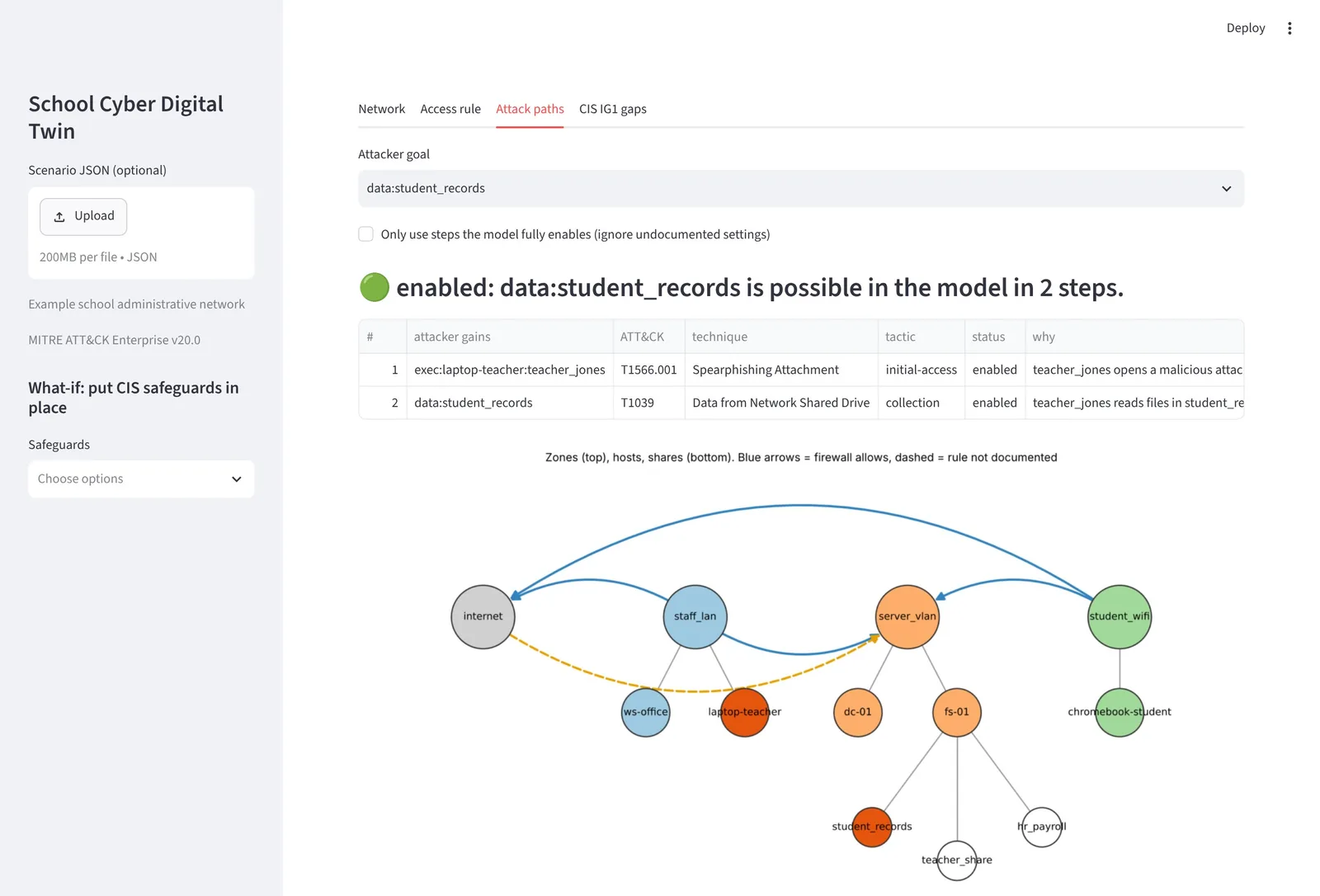
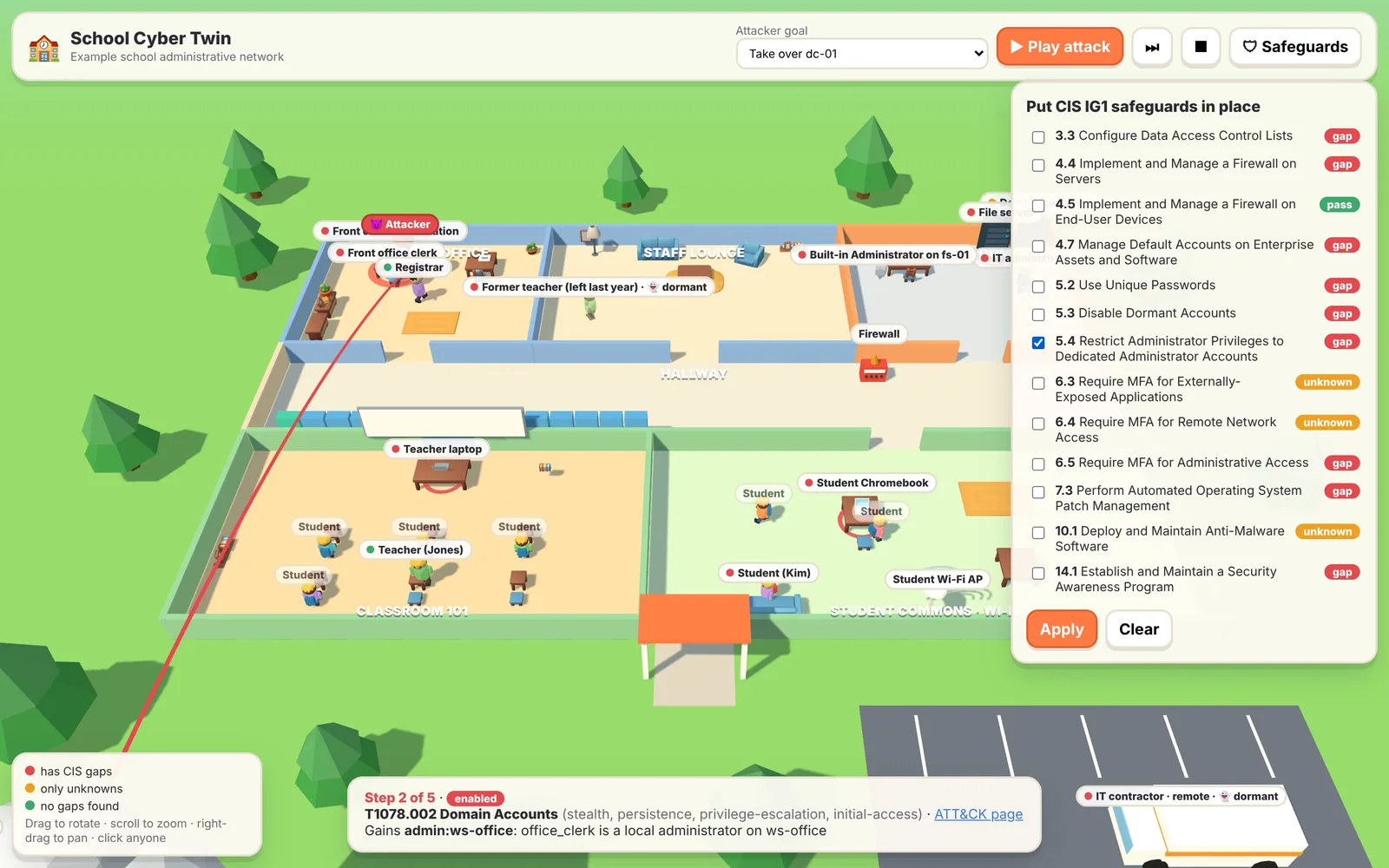
Attacks are chains of those same decisions. I re-implemented the approach from MulVAL (Ou et al., USENIX Security 2005) in Python: the attacker holds facts like “runs code on the office PC as the clerk” or “has the IT admin’s password”, and rules turn known facts into new ones, but only when the access rule allows it. Rules run until nothing new is learned, keeping the most certain, then shortest, way to each fact. Every step is tagged with a MITRE ATT&CK technique, read from MITRE’s official STIX data (Enterprise v20).
In the example school, taking over the domain controller is possible in six steps:
- A teacher opens a malicious attachment (T1566.001 Spearphishing Attachment)
- So does the front office clerk, on the office PC
- The clerk is a local admin on that PC (T1078.002 Valid Accounts)
- The IT admin’s password is cached there and gets dumped (T1003.001 LSASS Memory)
- The attacker signs in to the domain controller over remote desktop as the IT admin (T1021.001)
- The IT admin is an admin on the domain controller: the attacker controls the domain
Which safeguard matters
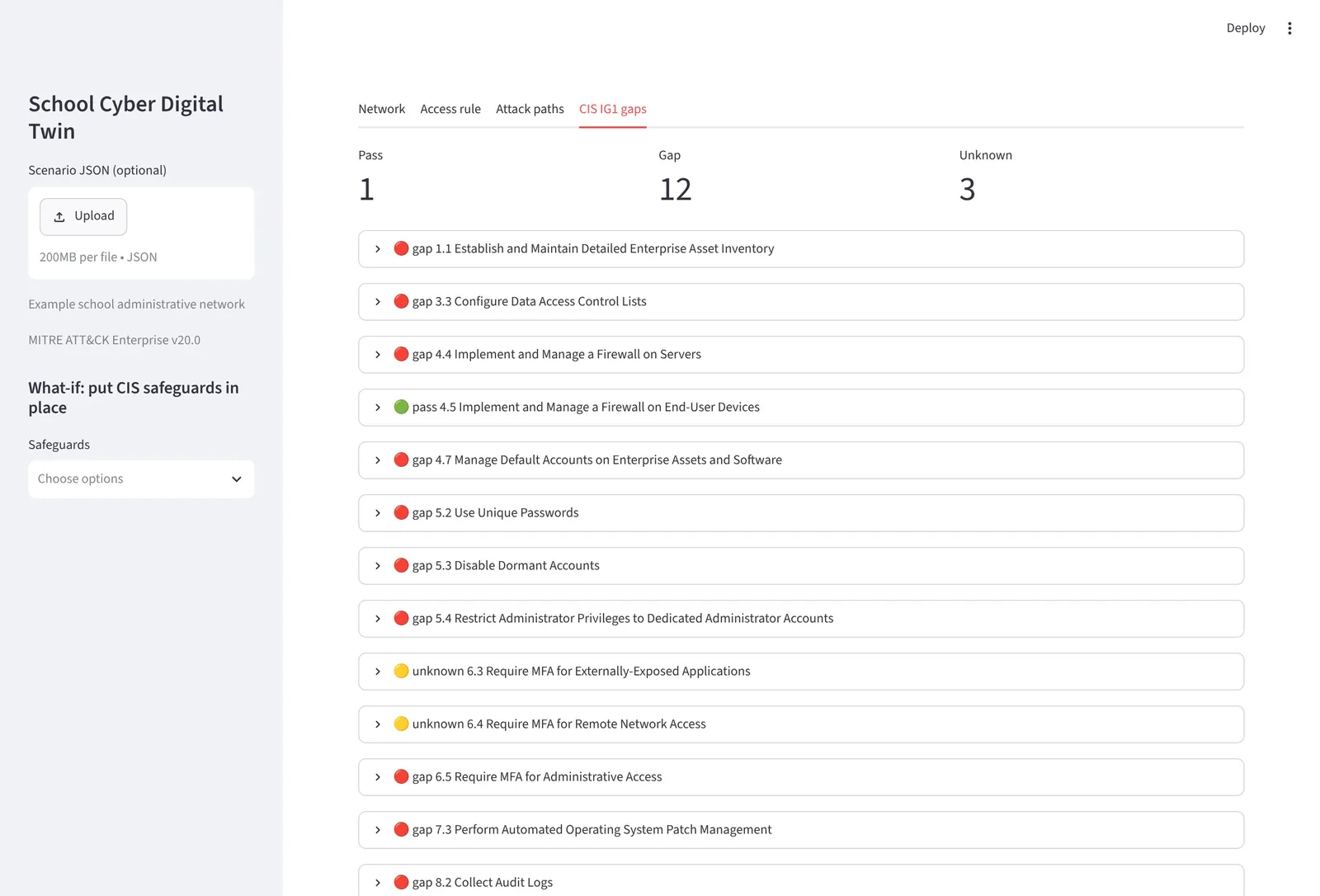
The same model is checked against 16 CIS Controls v8 IG1 safeguards, the “essential hygiene” tier CIS aims at small organisations. The example school shows 12 gaps, 3 unknowns and 1 pass.
Thirteen safeguards also have a what-if fix that edits a copy of the model as if it were in place, then re-runs the attack paths. Trying each one alone against the domain-controller goal, only 5.4 (dedicated administrator accounts) blocks the takeover; security awareness training turns the path indeterminate, and the rest only help in combination.
The safeguard → ATT&CK links are my own mapping and still need checking against CIS’s official master mapping.
The 3D school
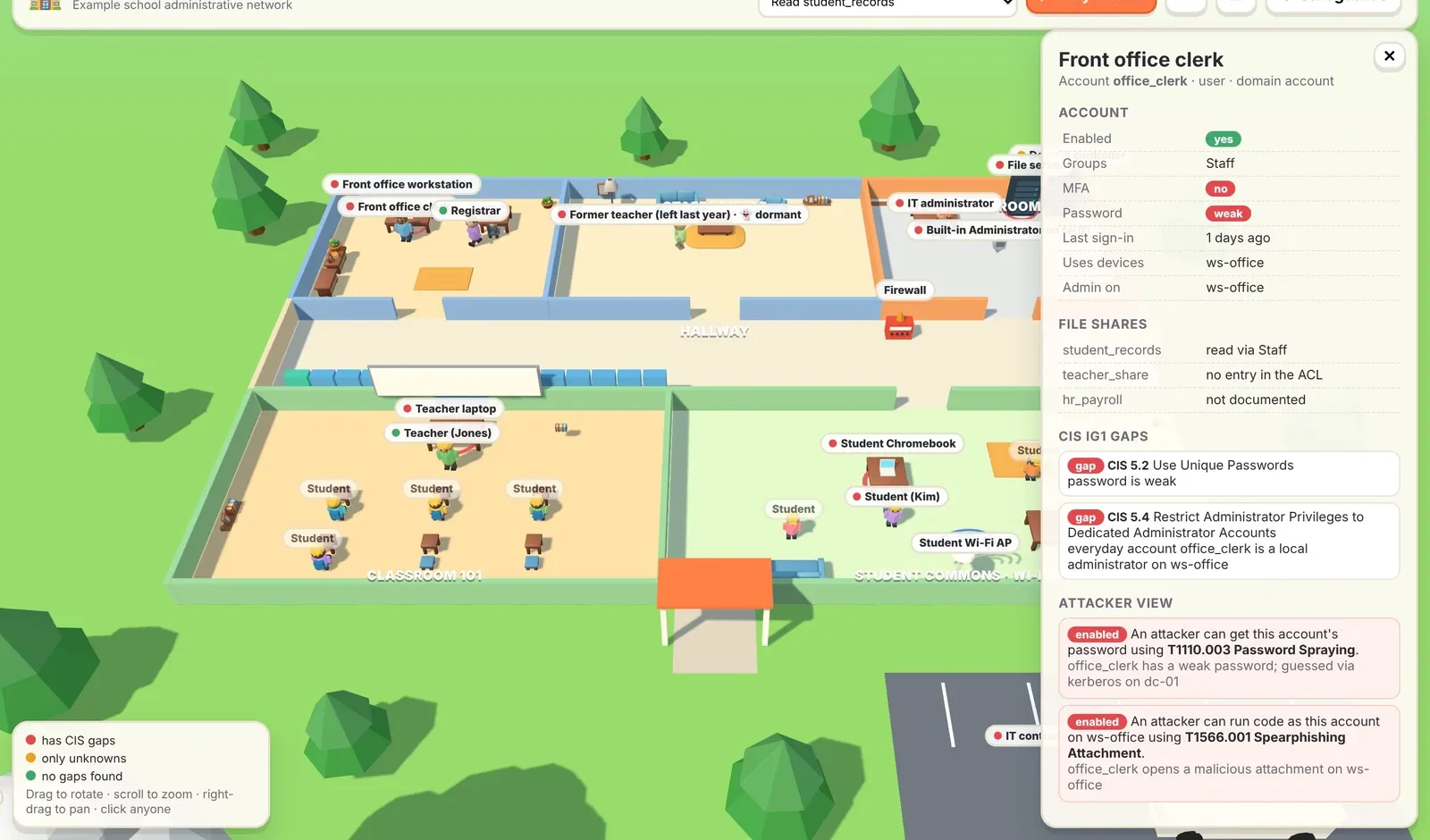
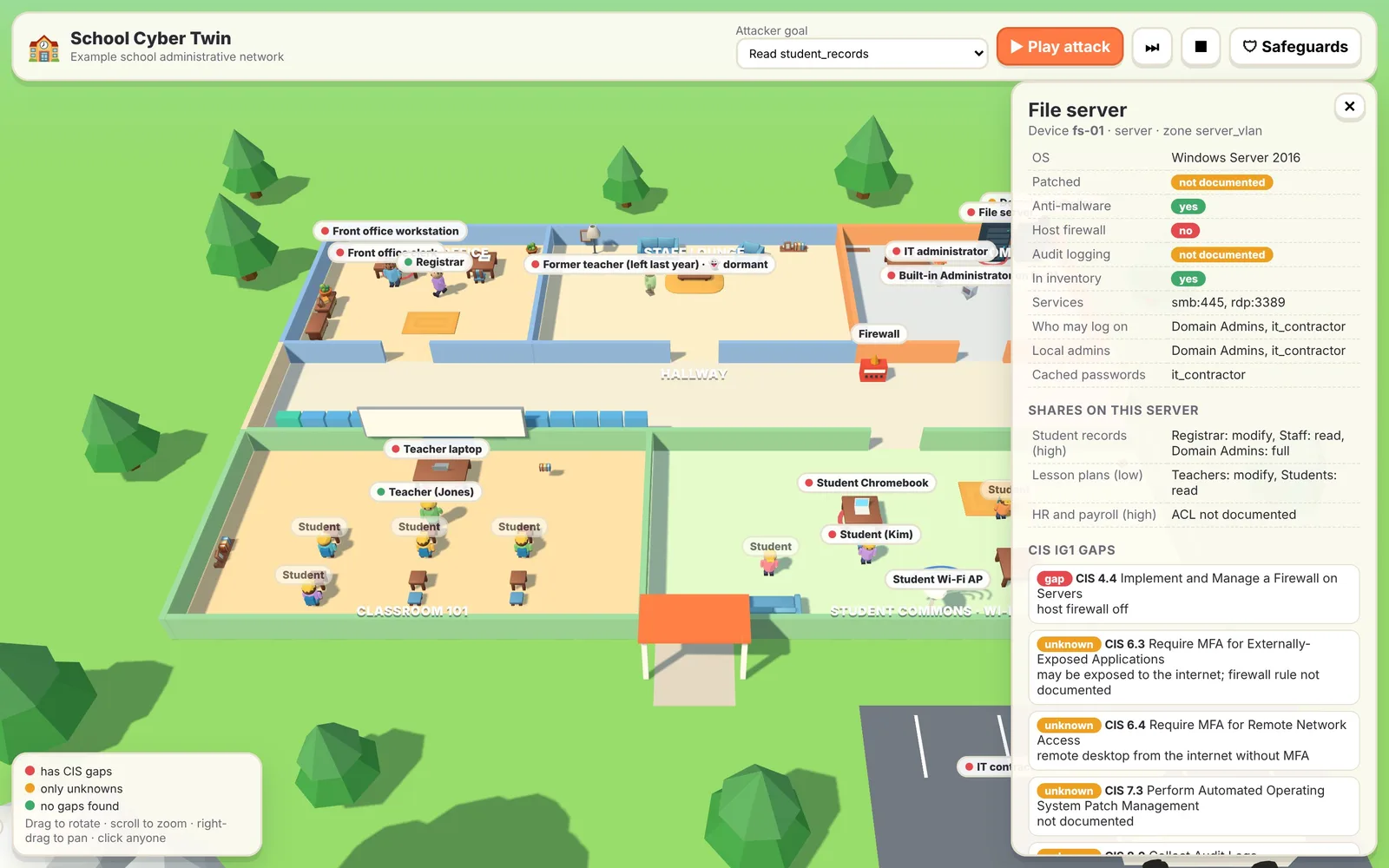
A table of attack steps is hard to show a non-specialist, so I built a cartoon 3D school in the browser with three.js. Everyone in the model is a character in their room: the clerk and registrar in the front office, IT in the server room, students in the commons. Dormant accounts (the teacher who left last year, the contractor) are see-through ghosts, and the file server’s built-in Administrator is a robot.
It runs the same Python engine inside the browser with Pyodide, so there is no server. Everything except the Python runtime itself is bundled with the page.
Where it stands
By Kritzinger et al.’s definition this is still a digital model, not a full twin, because the data is entered by hand rather than synchronised from a real network. Next is rebuilding a real intrusion from the PicoDomain dataset and checking whether the model finds the path the attackers actually took.
Technical detailsHow it’s built
How it’s built
One Python engine does all the reasoning, and three front ends ask it questions: a Streamlit app, the 3D school (through a small standard-library web server locally, or Pyodide on this site), and a MATLAB App Designer app that calls the engine through MATLAB’s Python interface. Ten automated tests cover the engine.
Before building, I reviewed the options the brief named: NVIDIA Omniverse (built for physics and rendering a network model doesn’t need), MathWorks’ digital-twin tools (aimed at physical equipment), and Simulink/Stateflow (a possible fit later for attack rules as state machines). I also reviewed three public datasets (PicoDomain, CAM-LDS and AttackMate) as sources for real scenarios.